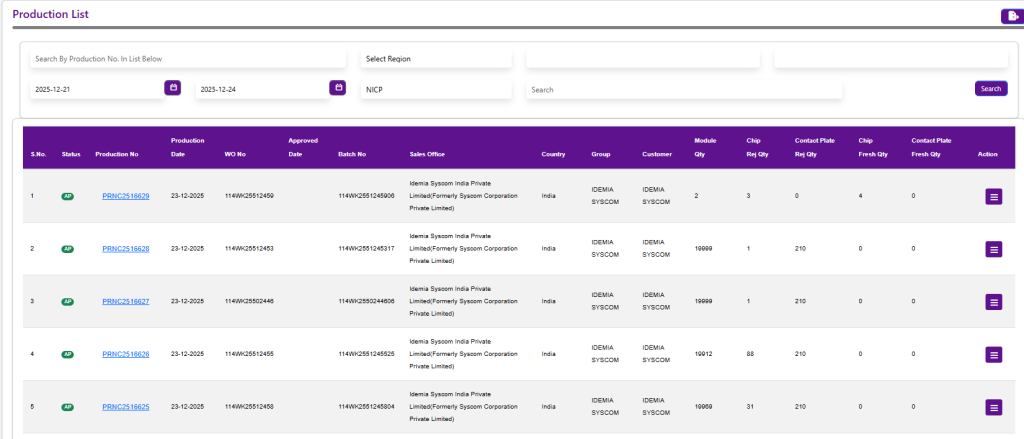
Production List
The Production List screen displays all recorded production entries with details such as Production Number, Date, Work Order, Batch, Customer, Module Quantity, Rejection, and Fresh quantities.
By right-clicking on a production record, the following context menu options are available:
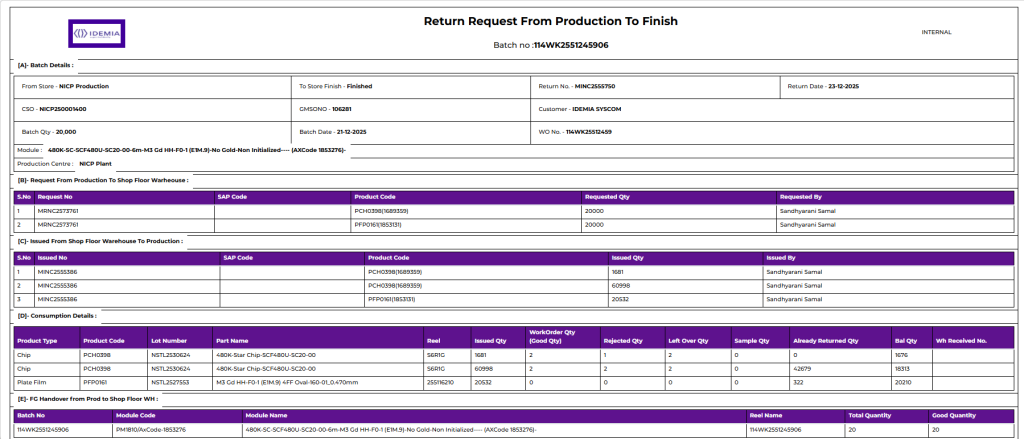
Production Return Sheet
This option is used to generate and view the Production Return Sheet. It provides a summary of produced quantity, rejected quantity, fresh balance, and material consumption, and is mainly used for production verification and record keeping.
‘
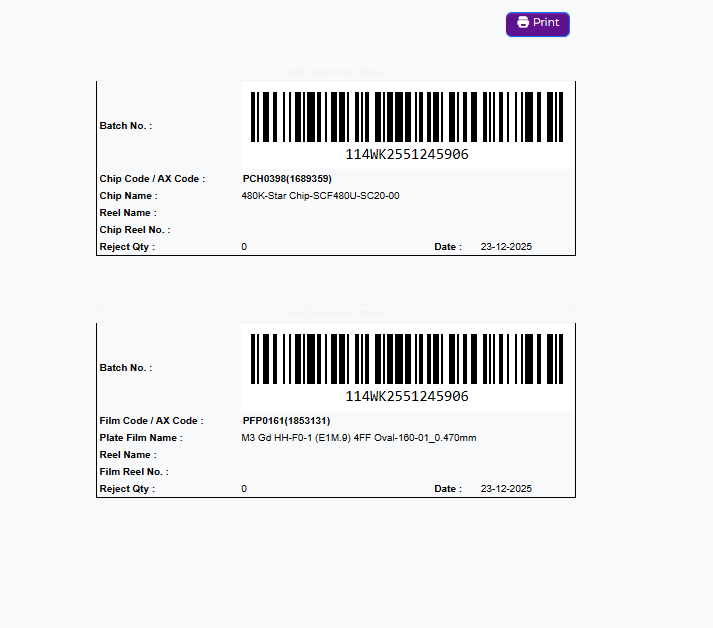
Reel Rejection Sticker Print
This option allows users to print rejection stickers for reels that have rejected quantities. These stickers help in identifying rejected reels clearly during quality checks, rework, or scrap handling
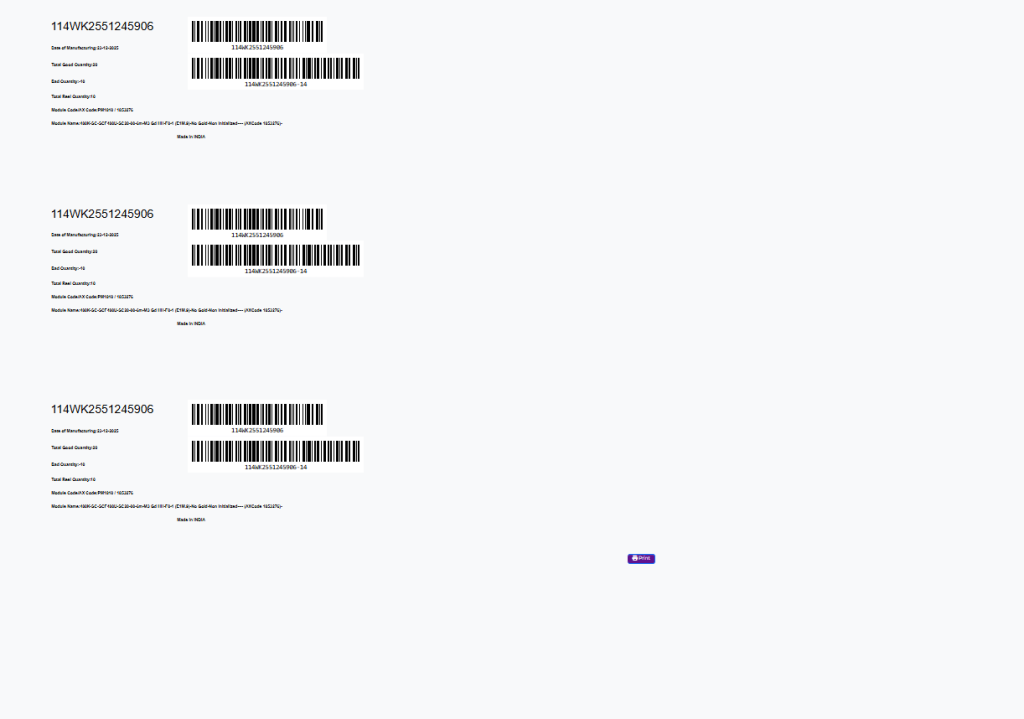
Reel Sticker Print
This option is used to print reel stickers for production reels. The stickers contain reel and batch-related information and are used for tracking, labeling, and traceability of reels during and after production.