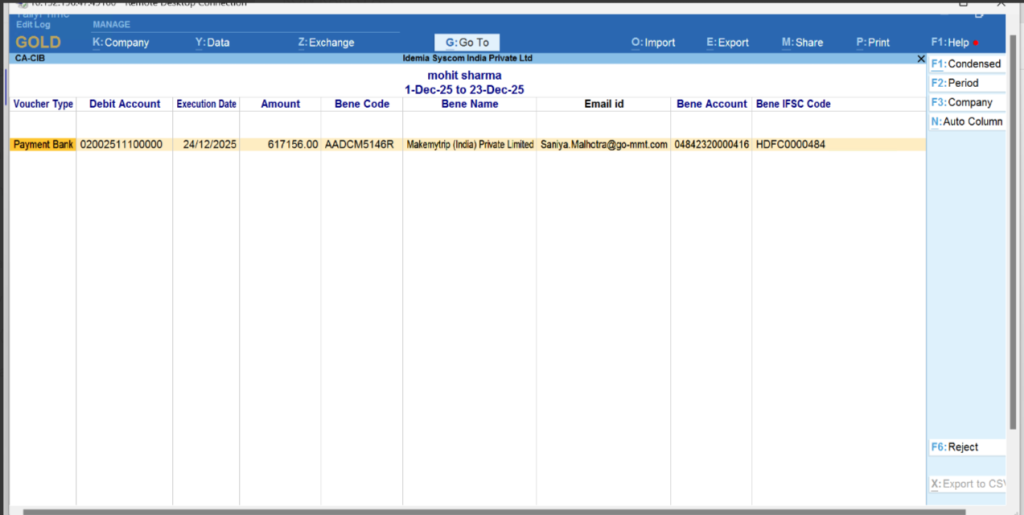
Approval Process – Export to CSV
- The approval user initiates the approval workflow by selecting the entries and clicking the “EXPORT to CSV” button.
- This action triggers the payment approval process, exporting the entries in a structured format for upstream processing in the Kyriba portal.
- Ensures that only validated entries are sent for subsequent payment execution.
Approval Process – Export to CSV (Kyriba Portal)
- Role & Responsibility
- The approval user is responsible for validating and approving transaction entries before they proceed to the payment execution stage.
- Only approved entries are eligible for export and further processing in the Kyriba payment system.
- Action – Export to CSV
- After reviewing the entries, the approval user clicks the “EXPORT to CSV” button on the Kyriba portal.
- This action extracts the selected transactions into a standardized CSV file format, which serves as an intermediate approval record.
- System Processing
- Exporting to CSV triggers the workflow for payment approval.
- The system marks the entries as approved in the Kyriba portal and makes them available for the next stage of processing, such as batch payment execution or further reconciliation.
CACIB file