Department List
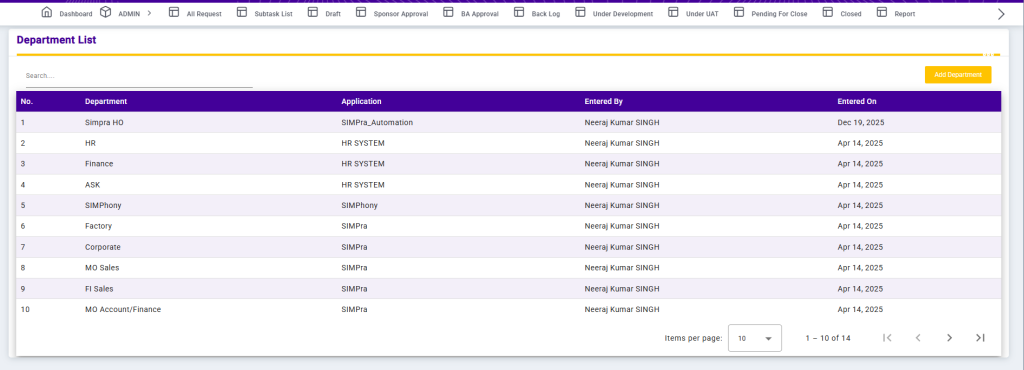
The Department List screen displays all departments configured in the system along with their associated applications and audit details. It helps users quickly identify which departments are mapped to which applications and who created the entries.
Each record includes the Department Name, Application Name, Entered By (user who created the department), and Entered On (date of creation). A Search option is provided at the top to easily filter departments based on keywords such as department name or application.
This page ensures transparency, easy tracking of departmental ownership, and efficient management of application-wise departments within the system.
Add Department
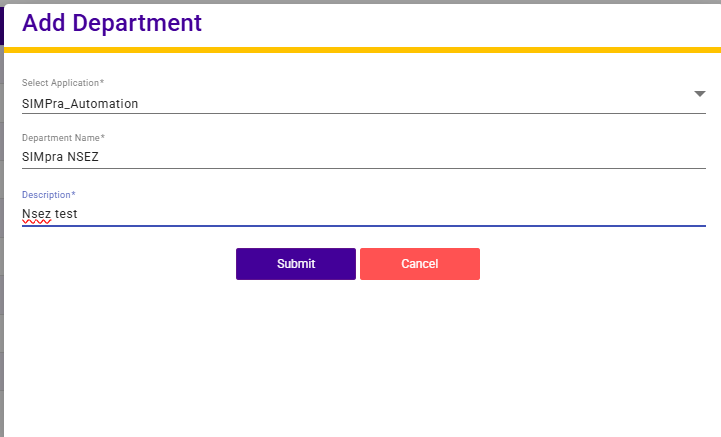
The Add Department screen allows users to create a new department by selecting the relevant application and entering department details.
Users must select an Application from the dropdown list. After selecting the application, they need to provide the Department Name and an optional Description to define the purpose of the department. Once all required details are entered, the department can be saved and added to the department list.