Application Owner List
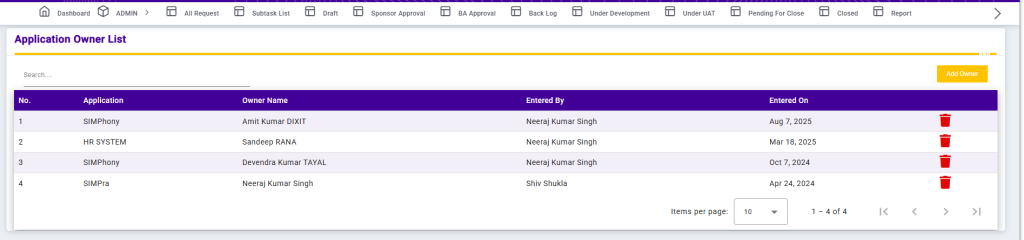
The Application Owner List screen displays the mapping between applications and their respective owners. It provides clarity on ownership and accountability for each application within the system.
Each record includes the Application Name, Owner Name, Entered By, and Entered On date. The Search option allows users to quickly locate application owners. Pagination and Items per page controls are available for easy navigation.
This screen helps ensure proper application governance and clear responsibility assignment across the organization.
Add Application Owner
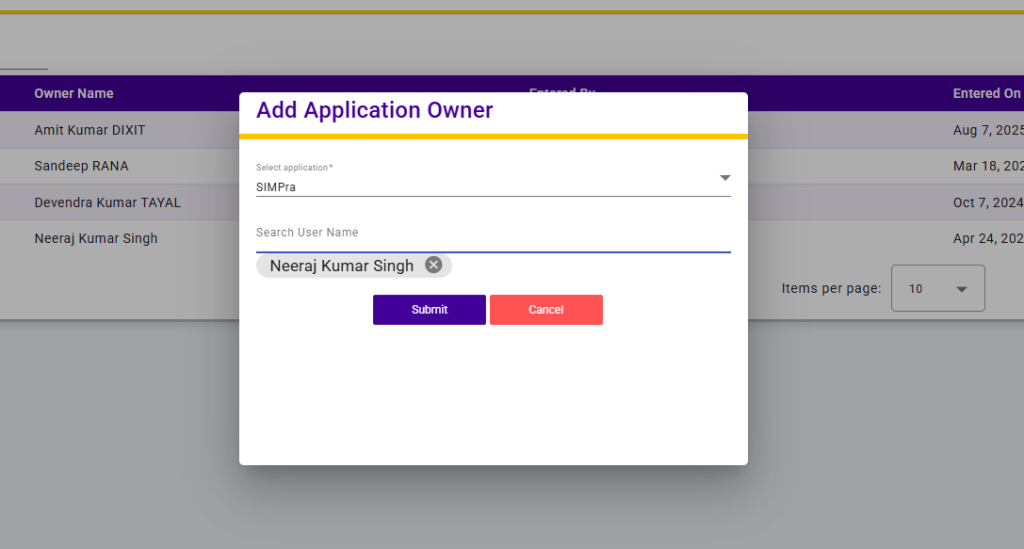
The Add Application Owner screen allows users to assign an owner to a specific application.
Users must select an Application from the dropdown list and then search and select a User Name to assign as the application owner. Once the details are submitted, the selected user is linked as the owner of the application.
This functionality ensures clear application ownership, accountability, and effective application management within the system.