Application List
The Application List screen displays all applications registered in the IT Business Systems Development Requests Management System. It provides a centralized view of applications along with their identification and audit details.
Each record includes the Application Name, Sub Code, Entered By (user who created the application), and Entered On (creation date). The Search option allows users to quickly filter applications based on name or sub code.
This screen helps administrators manage application master data effectively and ensures proper tracking and governance of system applications

Add Application
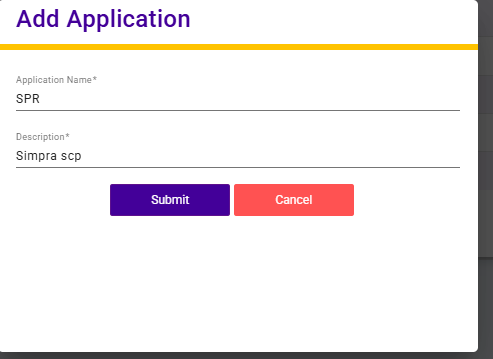
The Add Application screen allows users to register a new application in the system.
Users need to enter the Application Name and provide a Description to briefly explain the purpose of the application. Once the required details are submitted, the application is saved and added to the application list.
This functionality helps maintain accurate application master data and supports effective system and access management.