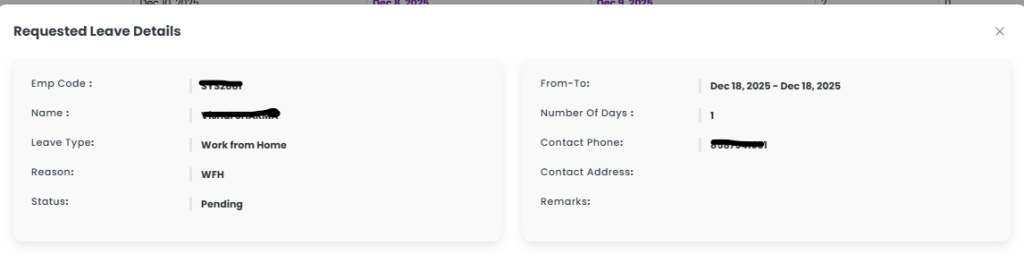
The Requested Leave screen allows employees to view the details of all leaves they have applied for. This module provides a comprehensive overview of leave requests, including their status, duration, type, and other relevant information. Employees can filter and sort their leave records for easier tracking and management.
Purpose
The main purposes of this module are:
- To provide transparency on all submitted leave requests
- To allow employees to track the status of their leave applications (Approved, Pending, Rejected)
- To maintain a historical record of leaves for reference
- To provide easy filtering based on year and status
Key Features
1. Leave List
- Displays all leave requests submitted by the employee.
- Each entry includes:
- Leave Type
- Duration (From and To Dates)
- Number of Days
- Requested ON
- Status (Pending, Approved, Rejected)
2. View Leave Details
- An eye icon is provided for each leave entry.
- Clicking the eye icon opens the Leave Details view, showing:
- Full leave reason
- Approver comments
- Any adjustments or remarks made during processing
3. Filtering Options
- Status Filter: View leaves by status (Pending, Approved, Rejected).
- Year Filter: View leaves applied in a specific year or date range.
4. Sorting and Search
- Employees can sort leave records by date, type, or status.
- Search option to quickly locate a specific leave request.
Workflow
- Employee navigates to the Requested Leave / Leave History screen.
- The system displays a list of leave applications.
- Employee can apply filters (status, year) to narrow results.
- To see full details, the employee clicks the eye icon next to the leave entry.
- The Leave Details pop-up or page displays complete information about that leave.
Benefits
- Provides clear visibility of leave history
- Enables employees to view complete details of each request
- Improves tracking of pending approvals
- Ensures transparency and reduces HR queries