
Pending Create Work Order
After a Sale Order is approved, it automatically moves to the Pending Create Work Order list. This screen displays all approved sale orders that are ready for work order creation. Users can filter the list by Region and Date Range or search using the Sale Order Number.
The list shows key details including Sale Order Number, Customer, Quantity, ODS Approved Date, and Module. From the Action column, users can initiate the creation of a new Work Order for the selected sale order, enabling the next step in the production process.
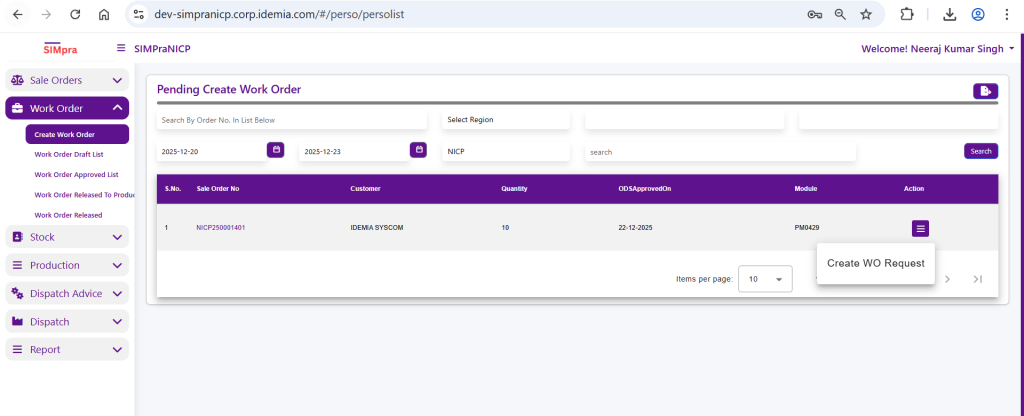
Right click on Context menu to create Work Order Request
Work Order Entry
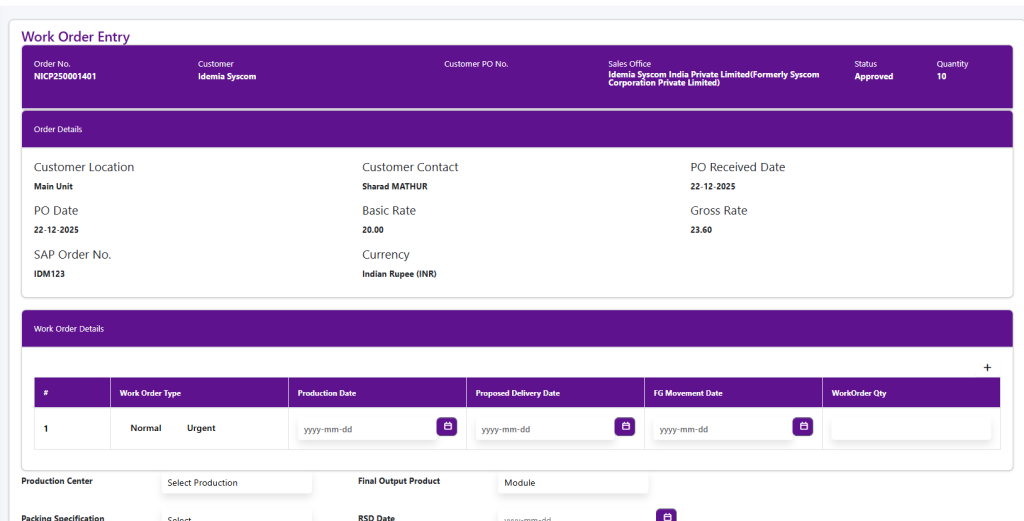
Fill Up Work Order Details
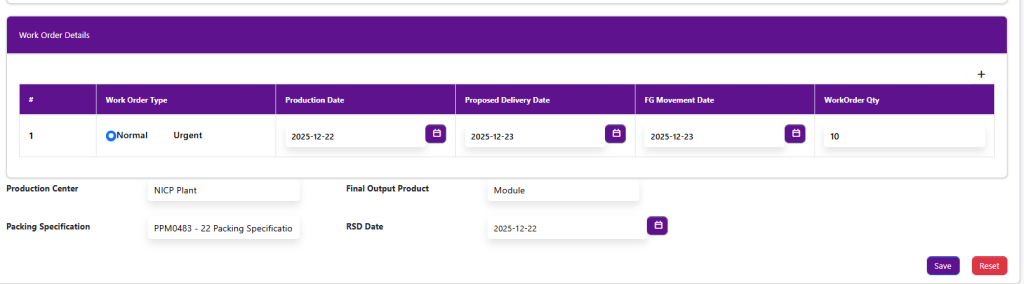
Click on Save page Redirect to Work Order Draft List