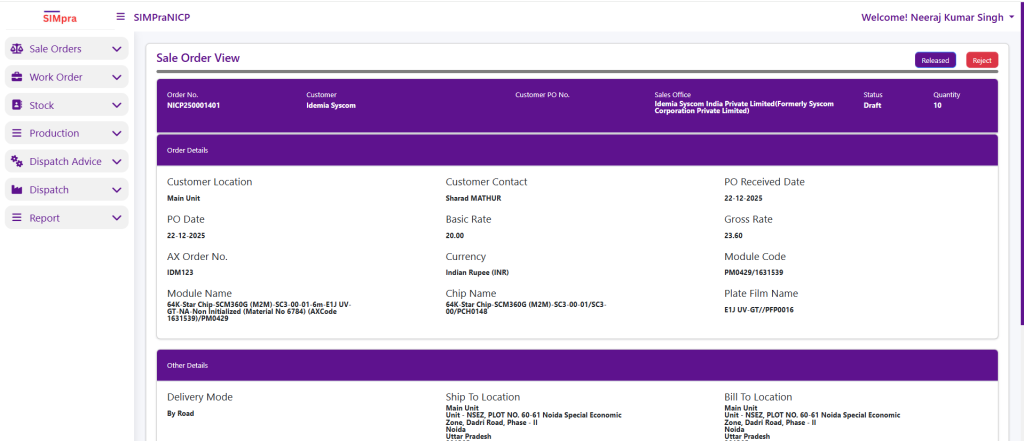
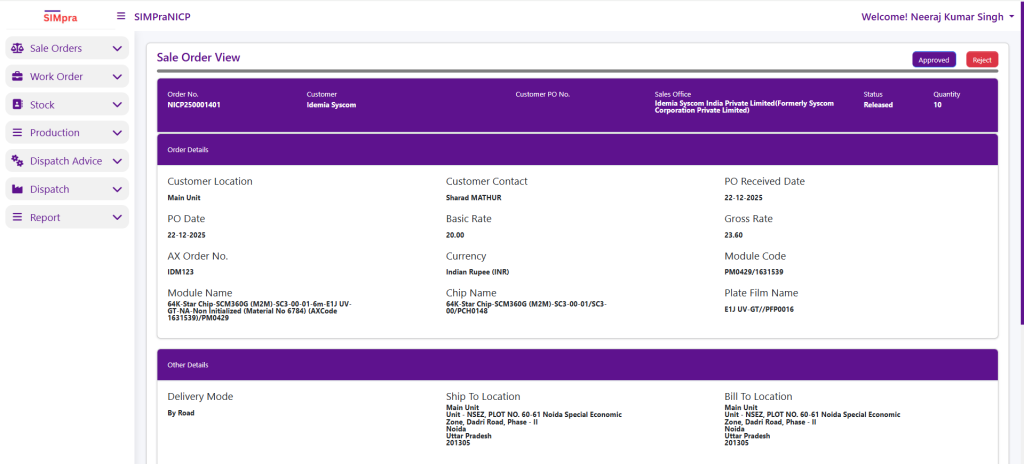
Sale OrderList
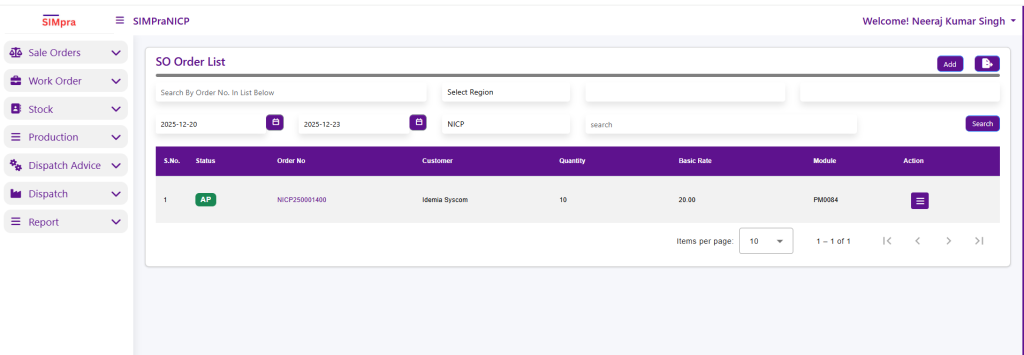
The Sale Order List in NICP displays all sales orders based on selected region and date range. Users can search orders using the Order Number for quick access. The list shows key details such as Order Status, Order Number, Customer, Quantity, Basic Rate, and Module. The Action column allows users to view or process the selected sale order. This screen helps in quick tracking and management of sales orders.
Sale Order Entry
Click ON Add to Open Sale Order Entry Page:
The Create Sale Order screen in NICP is used to capture and submit new sales orders. Users first enter Customer Details such as Region, Customer Group, Customer, Location, and Contact. In the PO Details section, users provide PO Type, PO dates, Customer PO Number, and upload the PO document.
The Product Details section allows selection of Sales Product, Module Account, Module, Business Unit, and related product information like Module Name, Chip Name, and Contact Plate. In Financial Details, users enter Quantity and Basic Rate, after which the system calculates Gross Rate, Net Value, and Gross Value based on currency and exchange rate.
Additional information such as Delivery Mode, Ship-To Location, and Bill-To Location is captured under Other Details. Once all mandatory fields are completed, the sale order can be created and submitted for further processing.
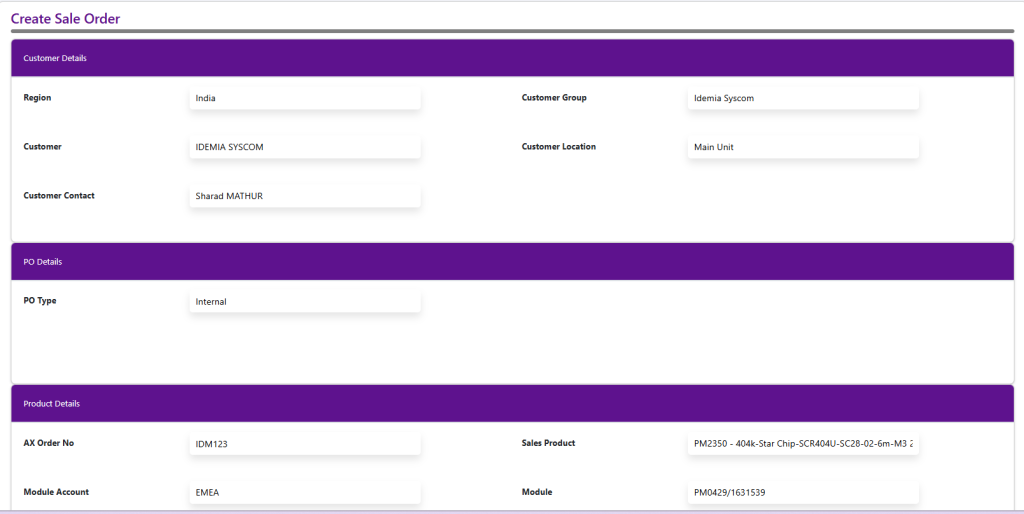
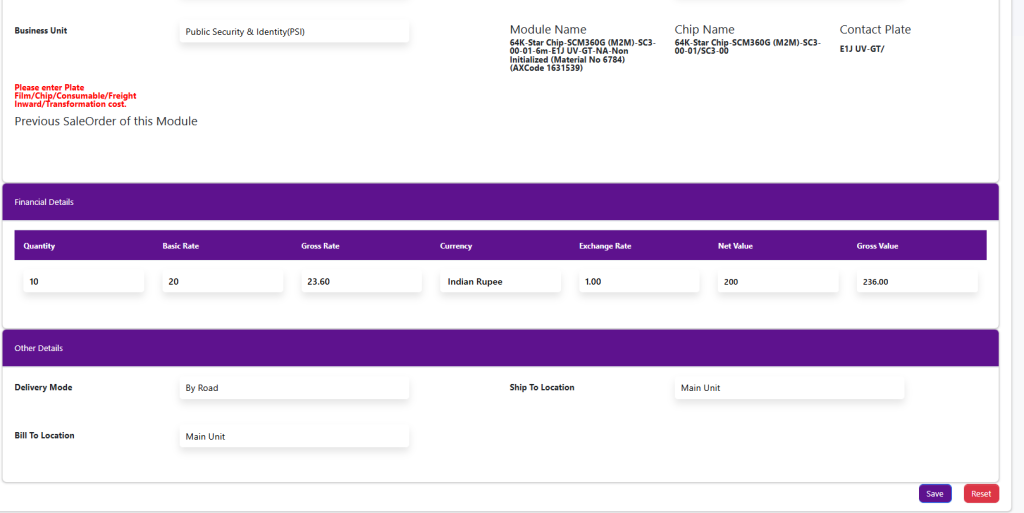
Create Sale Order By clicking ON SAVE ,Request Redirect to SaleOrder List
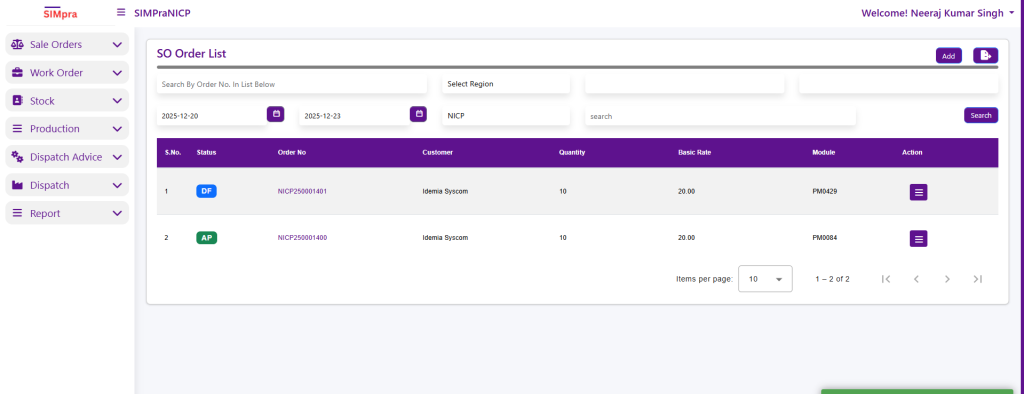
Approve Sale Order
Click On Order No to open view For Release ,Approve Sale Order