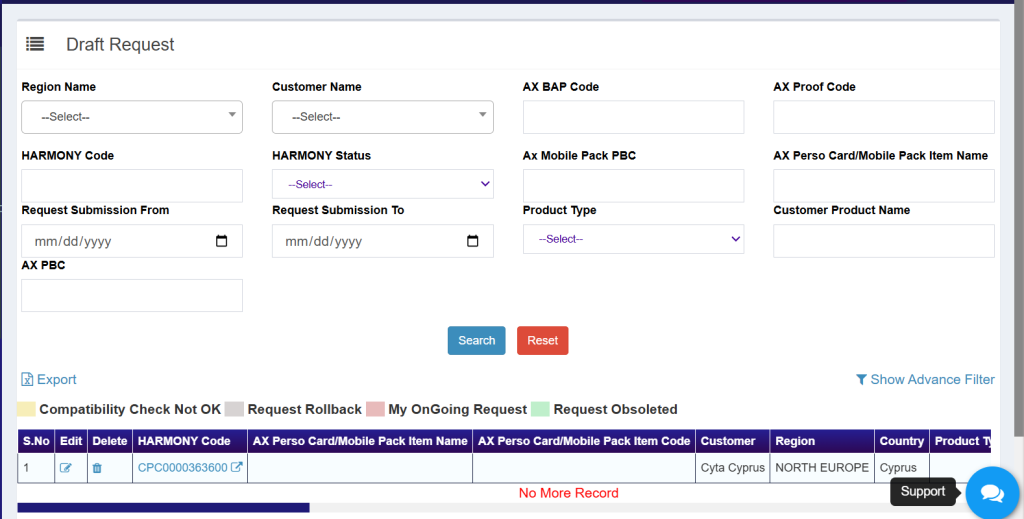
- TC/CS can save his request in draft in case he found some info missing in the request.
- TC/CS has to click on “Request in Draft” list followed by click on Edit button whenever he wants to use the request saved in draft as depicted in below screenshot.
- TC/CS can Delete the Respective Harmony Request from Draft only.
- TC/CS can also modify the Ongoing Request from Draft List.
- In Draft List, if compatibility check not okay performed by the Installation Team that Particular list will also appear in the Draft List
- If any request gets rollbacked then that particular request will also appear in the draft list
- If any request gets Obsoleted, then that particular request will also appear in the draft list
- Request obsoleted can be deleted from Draft list permanently if the TC/CS wants to use the same CPCode for another request